
Short answer: Switch the top bar from Standard to Accounting and BizKhata becomes a keyboard-first accounting package: a Gateway with a function key for every voucher, a Reports hub with a trial-balance grid you can drill into, an item-wise sales report with margin, and a Share to CA screen that builds the pack your accountant asks for.
Gateway and the two dashboards
The home screen comes in Classic and Cards looks. Both show sales, purchase, receivables, payables, cash, bank and GST position, top customers and suppliers ranked by what you billed them, low-stock alerts and a Gateway of every screen. The voucher keys are the same everywhere: F4 Contra, F5 Payment, F6 Receipt, F7 Journal, F8 Sale, F9 Purchase. F1 opens Help and F2 the date box.
Reports hub with a trial-balance grid
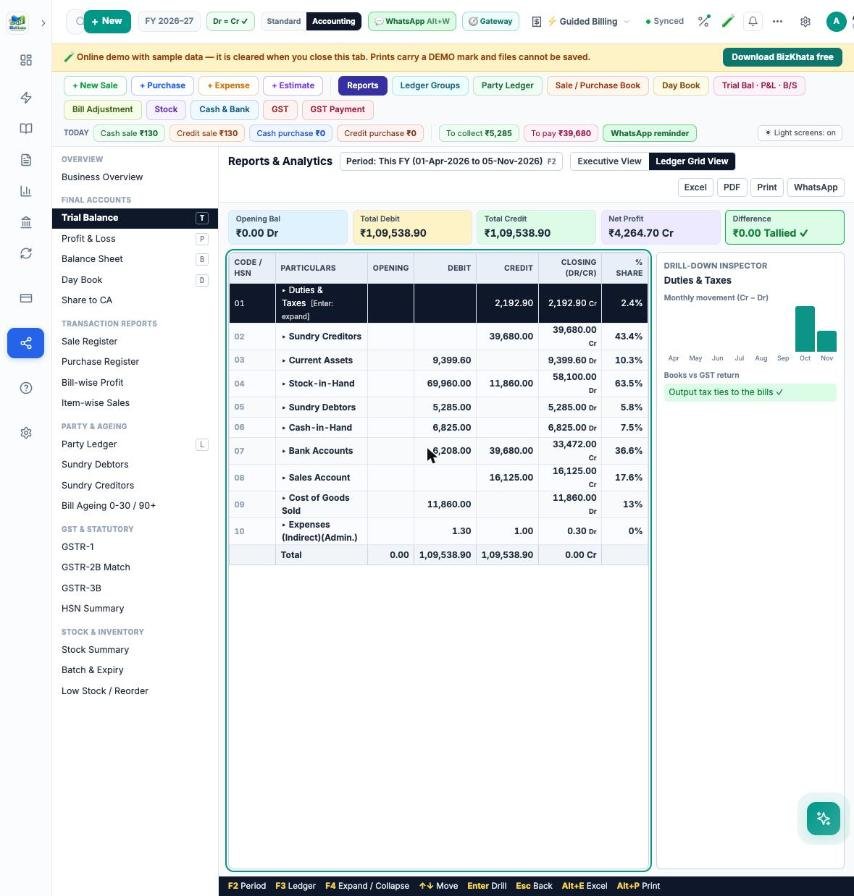
A report tree on the left (Trial Balance, Profit & Loss, Balance Sheet, Day Book, registers, party ageing, GST and stock reports) with arrow-key navigation. The Ledger Grid view shows opening, debit, credit and closing for every group; press Enter to go Group → Ledger → Monthly → Voucher. The strip on top shows opening, total debit, total credit, net profit and whether the books are Tallied. Executive View gives exact-rupee cards, an expense breakdown, revenue against purchase and alerts.
Item-wise sales with cost and margin
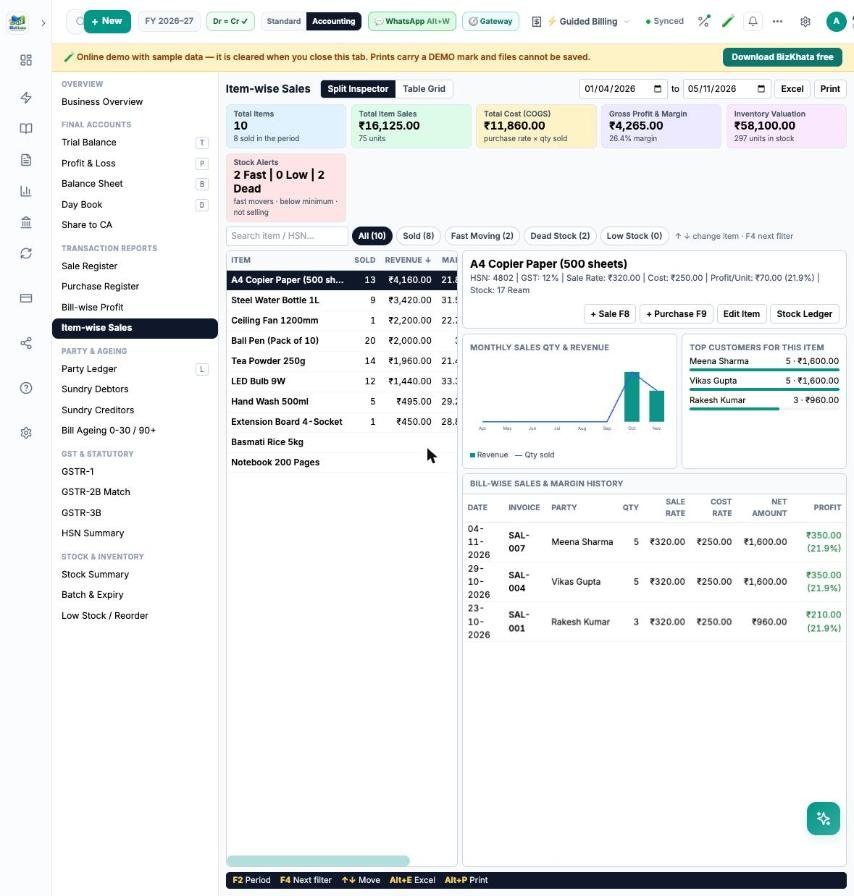
Six summary cards (items, sales, cost, profit and margin, inventory value, stock alerts), a list sorted by revenue, and the best seller already open on the right with its monthly trend, top customers and every bill’s profit. A table grid view shows opening, purchase, sold, sales, cost, margin, closing stock and movement for all items, with a grand total.
Share to CA
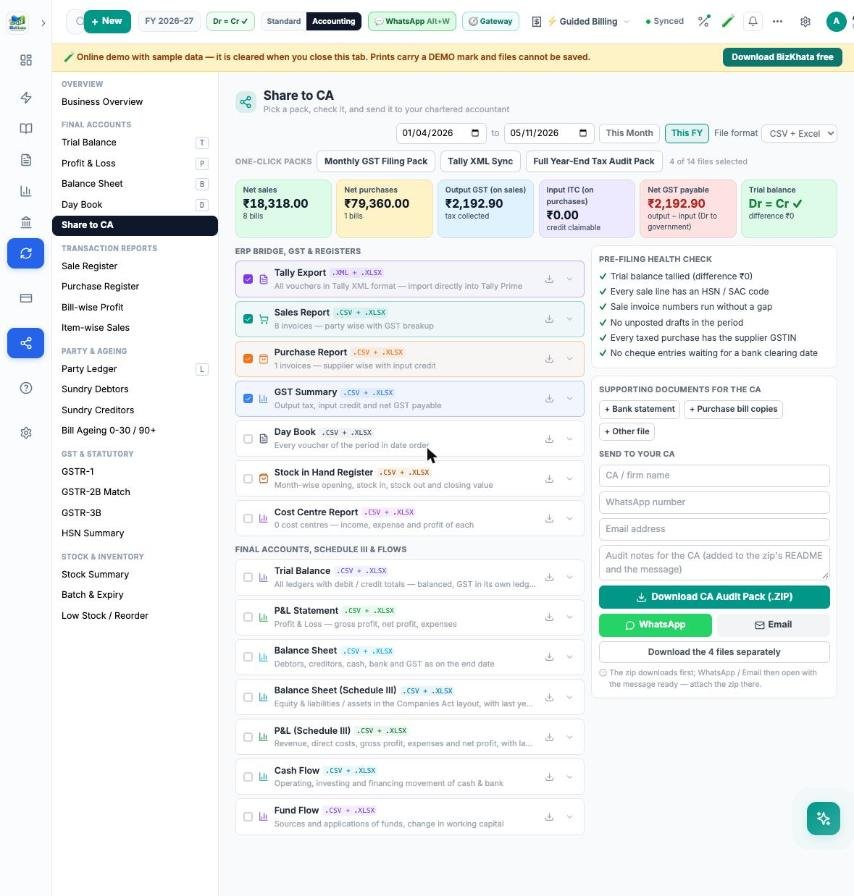
Three one-click packs — Monthly GST Filing, Tally XML Sync and Full Year-End — choose from 14 files (Tally XML, sales and purchase reports, GST summary, day book, stock register, trial balance, P&L, balance sheet, Schedule III, cash and fund flow). The pre-filing health check flags an untallied trial balance, missing HSN codes, gaps in invoice numbers, unposted drafts and missing supplier GSTIN. Attach a bank statement or purchase-bill copies, then download one zip or open WhatsApp or email with the message ready.
FAQ
Is the Standard menu removed? No. The top bar switches between Standard and Accounting any time.
Can my CA open the files? The pack is CSV, Excel and Tally XML, which accountants already use.
Try it on your own bills
Open the online demo (sample shop, nothing to install) or download the 7-day free trial for Windows and Mac. BizKhata works offline, so billing never waits for the internet.