Why Mega Mart Billing Software Works Differently
Supermarket billing software has to handle two things generic invoicing tools weren’t built for: hundreds of SKUs across completely different GST slabs on one bill (a 5% grocery item next to an 18% packaged snack), and a counter speed that depends entirely on barcode scanning, not manual item search.
A till that makes the cashier type “Basmati Rice 5kg” for every customer is too slow for peak hours. Supermarket billing exists to scan first, bill instantly, and get the GST split right across dozens of categories without the cashier having to think about tax rates at all.
Mega Mart GST Bill Format — Required Fields
| Field | Why It’s Needed |
|---|---|
| Invoice number & date | Standard GST requirement, sequential for the financial year |
| Barcode / SKU | Instant lookup at the counter — no manual item search needed |
| Item name & category | Groceries, packaged goods, household, personal care, etc. |
| HSN code & GST rate | Varies by category — 0%, 5%, 12% or 18% on the same bill |
| Quantity & rate | Per-unit pricing for weighed and packaged items alike |
| Discount / loyalty offer | Applied per item or per bill for regular customers |
| Payment mode | Cash, UPI or card — high-volume counters need all three fast |
| Total invoice value | Final payable amount, GST included, split by rate for GSTR filing |
Common Billing Challenges for Mega Mart
- Slow manual billing — typing every item name at a busy counter creates queues and lost sales
- Mixed GST slabs — a single basket of groceries, snacks and household items can span 3-4 tax rates
- Inventory across categories — hundreds of SKUs need fast, reliable stock tracking, not a single flat item list
- Return/exchange at the counter — needs to trace back to the original bill quickly without holding up the queue
- End-of-day reconciliation — cash, UPI and card totals need to tally fast against the day’s bills
See BizKhata’s Business Templates in Action
Below is BizKhata’s template gallery — the Mega Mart / Supermarket template sits alongside 45+ other GST-ready formats, pre-configured with the fields this business needs so you’re not building the invoice structure from scratch.
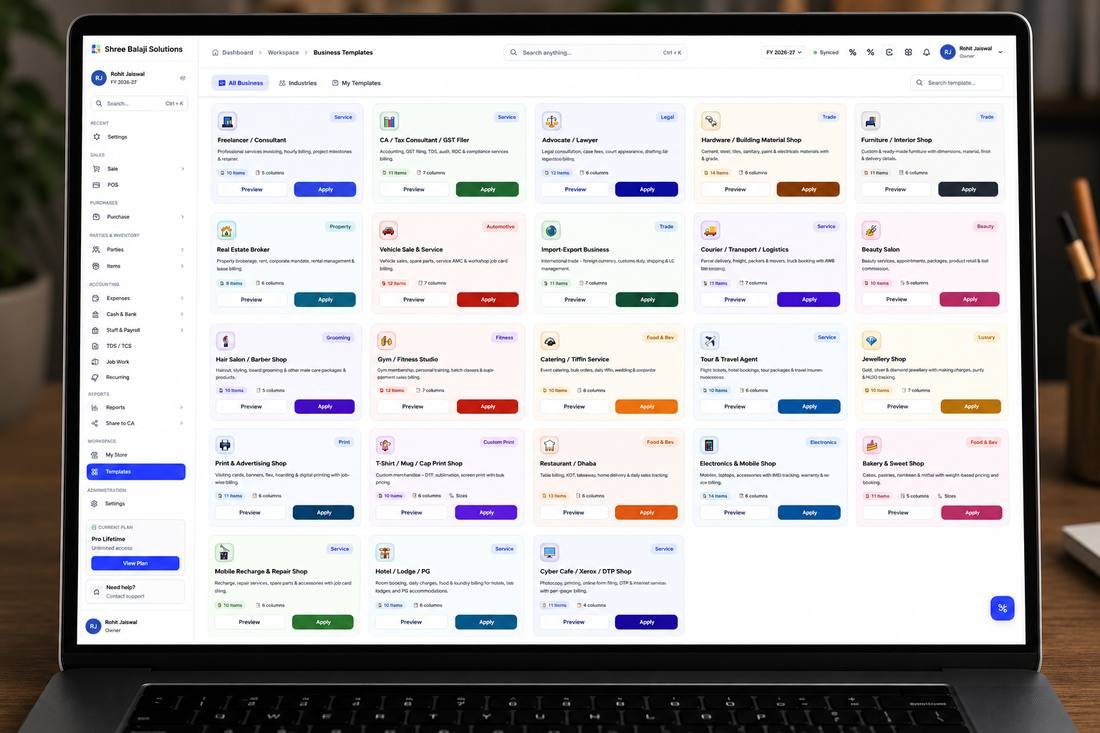
BizKhata’s Mega Mart / Supermarket template, ready to apply with one click
How Mega Mart Billing Software from BizKhata Works
- Apply the Mega Mart template — barcode-first billing and multi-category GST handling are pre-configured.
- Scan the barcode — item, rate and GST slab are pulled instantly — no manual search.
- Mixed-rate GST calculates automatically — 5%, 12% and 18% items on one bill are taxed correctly without manual selection.
- Apply discounts or loyalty offers — per item or per bill, for regular customers.
- Take payment — cash, UPI or card, recorded against the bill instantly.
- Print or share the bill — thermal receipt at the counter or a digital bill on WhatsApp.
Why Mega Mart Choose BizKhata
Barcode-First Billing
Scan and bill instantly — no manual item search at a busy counter.
Multi-Slab GST, Automatic
0%, 5%, 12% and 18% items on the same bill are taxed correctly.
High-Volume Inventory
Track hundreds of SKUs across categories without slowing down billing.
Fast Returns Lookup
Search any bill number or item to instantly find the original sale.
Offline & Reliable
Billing continues at the counter even if the internet connection drops.
One-Time Lifetime Plan
No recurring subscription — pay once for a billing system built for high-volume retail.
Related Business Templates
BizKhata includes GST-ready templates for other businesses too — explore the ones closest to yours: