Why Import-Export Businesses Billing Software Works Differently
Import-export billing software has to handle foreign currency properly — invoicing in USD or EUR while your books stay in INR — and needs HS code (the international equivalent of HSN) classification that customs authorities actually recognize.
It also has to carry shipping and compliance details — port of loading, shipping bill number, country of origin, container number — that a domestic invoice never needs but that customs clearance and bank remittance absolutely require.
Import-Export Businesses GST Bill Format — Required Fields
| Field | Why It’s Needed |
|---|---|
| Invoice number & date | Standard requirement, sequential for the financial year |
| HS Code | International harmonized system code for customs classification |
| Country of Origin | Can vary per line item for multi-sourced goods |
| Port of Loading | Where the shipment departs from |
| Currency & Exchange Rate | Invoice currency, with INR conversion for your own books |
| Container No. | For shipment tracking and customs reference |
| LUT / Shipping Bill No. | Required for zero-rated export documentation |
| Total invoice value | In the invoiced foreign currency, with INR equivalent recorded |
Common Billing Challenges for Import-Export Businesses
- Foreign currency accuracy — invoicing in USD/EUR while keeping INR books correct needs reliable exchange-rate handling
- HS code classification — customs recognizes HS codes, not domestic HSN alone — both may be needed
- Shipping documentation — port, container and shipping bill details are customs requirements, not optional extras
- LUT compliance — zero-rated exports under LUT need the right documentation trail to avoid IGST issues
- Multi-country sourcing — country of origin can vary per item on the same shipment
See BizKhata’s Business Templates in Action
Below is BizKhata’s template gallery — the Import-Export Business template sits alongside 45+ other GST-ready formats, pre-configured with the fields this business needs so you’re not building the invoice structure from scratch.
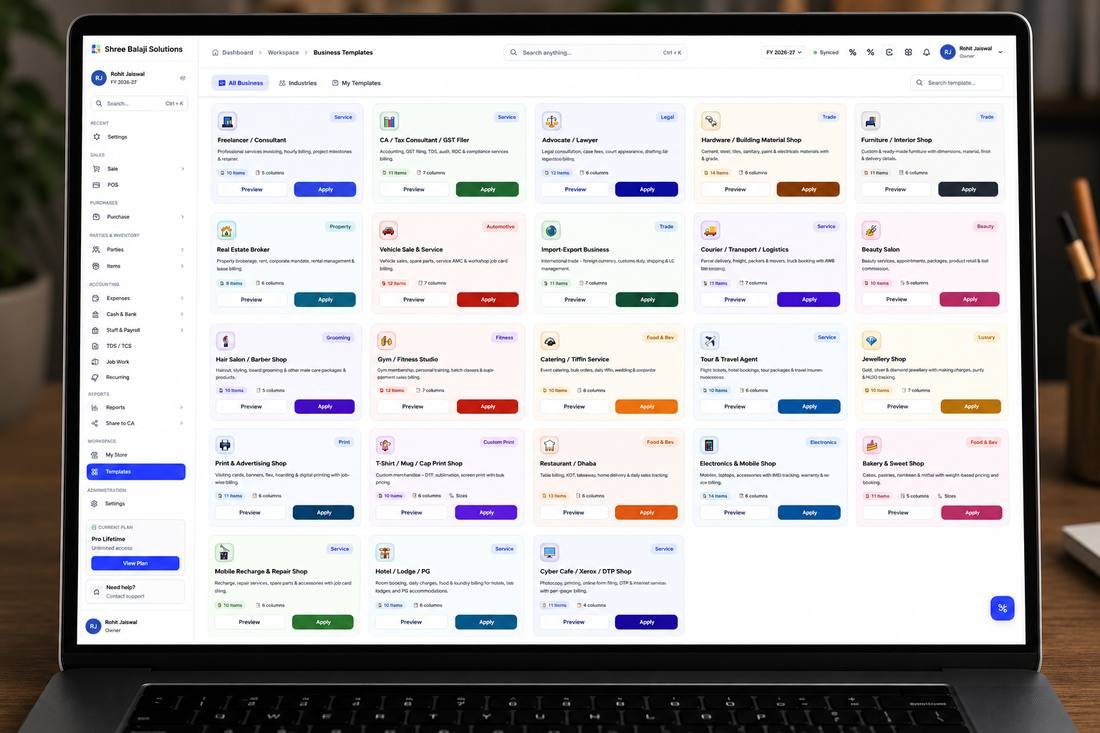
BizKhata’s Import-Export Business template, ready to apply with one click
How Import-Export Businesses Billing Software from BizKhata Works
- Apply the Import-Export template — HS code, currency and shipping fields are pre-configured.
- Bill in the client’s currency — with automatic INR conversion for your own records.
- Add HS code and country of origin — per line item, for accurate customs classification.
- Record shipping details — port of loading, container number and shipping bill.
- Apply LUT or IGST treatment — as applicable to your export arrangement.
- Print or share the commercial invoice — ready for customs and bank documentation.
Why Import-Export Businesses Choose BizKhata
Multi-Currency Invoicing
Bill in USD, EUR or any currency with accurate INR conversion.
HS Code Classification
Customs-recognized codes on every line item.
Shipping Documentation Fields
Port, container and shipping bill details, ready for customs.
LUT-Aware Export Billing
Zero-rated export documentation built in.
Offline & Reliable
Billing continues even if the internet connection drops.
One-Time Lifetime Plan
No recurring subscription — pay once for a billing system built for trade businesses.
Related Business Templates
BizKhata includes GST-ready templates for other businesses too — explore the ones closest to yours: